DeepL’de marka sesine uygun sözlükçeler ve tarz kuralları nasıl oluşturulur: 5 kolay adım
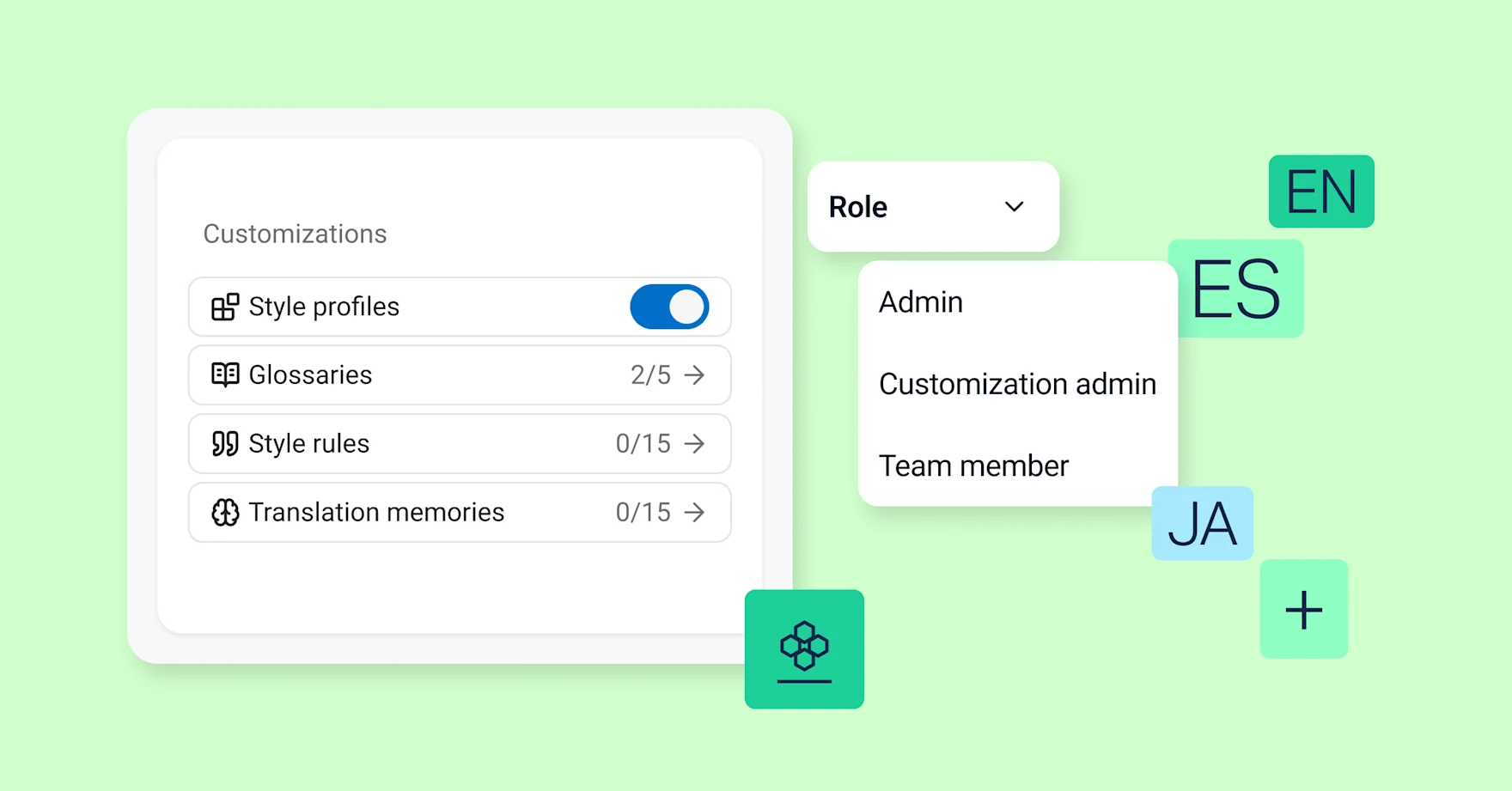
Önemli Noktalar
- DeepL'in Özelleştirme Hub'ı, dil uzmanlarının marka sesini otomatik olarak uygulayan sözlükçeler, tarz kuralları ve tarz profilleri oluşturmasına olanak tanır.
- Özelleştirme Yöneticisi rolü, dil uzmanlarına tam DeepL Yöneticisi erişimine ihtiyaç duymadan çeviri kalitesini kontrol etme imkanı sunar.
- Sözlükçeler, önceden onaylanmış çevirilerden otomatik olarak oluşturulabilir; bu da dil uzmanlarının manuel terminoloji çalışmalarında zaman kazanmasını sağlar.
- Tarz kuralları, onaylanmış örnek metinlerden otomatik olarak oluşturulabilir ve hedef dillerde marka tonunu ve nüanslarını yansıtabilir.
- Tarz profilleri sözlükçeler ve tarz kurallarını birleştirir, ardından ekipler, senaryolar ve kullanım durumları genelinde otomatik olarak uygulanır.
- Customization Hub ayarları, Translator, Write, API ve Voice'ta tutarlı bir şekilde uygulanır ve marka sesinin her yerde uyumlu olmasını sağlar.
Bir dil uzmanıysanız veya yerelleştirme uzmanı bir şirkette çalışıyorsanız, yapay zeka sizin için çalışmalıdır.
Bunun gerçekleşmesini sağlamak için DeepL Customization Hub'yi geliştirdik.
DeepL Özelleştirme Hub'ındaki gelişmiş özelleştirme özelliklerini, dil uzmanlarının terminoloji, tarz ve tonla ilgili kararlarının kuruluşlarının her yerinde, her çeviride geçerli olmasını sağlamak amacıyla tasarladık.
DeepL Customization Hub'ı ziyaret edin.
Özelleştirme Yöneticisi olarak DeepL Customization Hub'ı kontrol edin
DeepL için, dil uzmanlarının bu özelleştirme özelliklerini nasıl kullanacaklarını ve uygulayacaklarını kendilerinin belirleyebilmelerini sağlayan yeni bir Yönetici rolü oluşturduk.Bu rolün adı Özelleştirme Yöneticisidir.
Bu rolü, çeviri ve yerelleştirme uzmanlarına kuruluşlarının DeepL'i nasıl kullandığına dair kontrol hakkı vermek amacıyla tasarladık.Bu rol, sahip olduğunuz dil, kültür ve marka bilgisi ile çok daha fazlasını yapmanıza yardımcı olur.
Özelleştirme Yöneticisi erişimi, DeepL Yönetici erişiminden farklıdır.Hesaplar ve fiyatlandırma planları üzerinde kontrolünüz olmayacaktır.Ancak, Customization Hub’ın gelişmiş özelliklerini kullanmak ve ekiplerin çevirileri nasıl yöneteceğini belirlemek için ihtiyacınız olan tüm denetimlere erişebileceksiniz.
Kuruluşunuz, ihtiyaç duyduğu kadar Özelleştirme Yöneticisi atayabilir.
DeepL Özelleştirme Yöneticisi olarak yapabilecekleriniz
Özelleştirme Yöneticisi erişimine sahip olduğunuzda, DeepL çevirilerine otomatik olarak uygulanan sözlükçeler ve tarz kuralları kolayca oluşturabilirsiniz.Ayrıca farklı ekipler, senaryolar ve kullanım durumları için tarz profillerini zorunlu kılabilirsiniz.
Bu da, DeepL'in oluşturduğu çevirilerin, sizin memnuniyetle onaylayacağınız çeviriler olduğu anlamına gelir.
DeepL Ultimate veya Enterprise planı kullanan bir işletmede dil uzmanı iseniz, Özelleştirme Yöneticisi olmalısınız.Bu, tekrarlayan düzenlemelere daha az zaman harcayarak daha geniş ve stratejik bir role sahip olmanızı sağlar.
Daha fazla yüksek kaliteli çeviri sunabilir ve markanızın farklı dillerde, kültürlerde ve senaryolarda nasıl algılandığına daha fazla zaman ve dikkat ayırabilirsiniz.
5 adımda Özelleştirme Yöneticisi iş akışınızı nasıl kurabilirsiniz?
İşte, Özelleştirme Yöneticisi rolünün gücünden yararlanarak etkinizi artırmak için kurulumu tamamlayıp kullanmaya başlamanızı sağlayacak beş kolay adım.
Adım 1.DeepL Yöneticinizden sizi Özelleştirme Yöneticisi olarak atamasını isteyin
Özelleştirme Yöneticisi erişimi atamak çok kolaydır.DeepL Yöneticinizden DeepL'e giriş yapmasını ve “Kullanıcılar” menüsüne gitmesini isteyin.
Buraya geldiğinde, DeepL Yöneticinizden şu adımları atmasını isteyin:
- Listeden adınızı seçin.
- Yanındaki üç noktaya fareyi getirin.
- Size Özelleştirme Yöneticisi ayrıcalıkları vermesini seçin.
Özelleştirme Yöneticisi erişimine sahip olduğunuzda, DeepL AI’nın benzersiz gücünü kullanarak kuruluşunuzun çevirilerde kullanacağı tarz profillerini hızlı ve kolay bir şekilde oluşturabilirsiniz.
Adım 2.Sözlükçelerle tarz profilleri oluşturmaya başlayın
Onayladığınız önceki çevirilerden sözlükçeler oluşturmak, başlamak için harika bir yoldur.DeepL ile bunu sadece birkaç adımda yapabilirsiniz.
Çok uluslu bir şirkette çalıştığınızı ve Yaşam Bilimleri ekibi için küresel pazarlama kampanyalarına rehberlik edecek bir tarz profili oluşturmak istediğinizi varsayalım.Daha önce bu ekip için çok dilli kampanyaları çevirmiş, gözden geçirmiş ve onaylamışsınızdır; dolayısıyla bir sözlükçe oluşturmak için kullanabileceğiniz harika materyallere sahipsiniz:
- DeepL arayüzünüzdeki “Sözlükçeler” bölümünü ziyaret edin.
- "Geçmiş çevirilerinizden yapay zeka ile bir sözlükçe oluştur" seçeneğini seçin.
- "Yaşam Bilimleri" gibi açıklayıcı bir ad seçin.
- Kaynak ve hedef diller belirtin.
- İlgili kaynak ve çevrilmiş dosyaları sürükleyip bırakın.
- "Gönder"i tıklayın.
- Aşağı kaydırarak sözlükçenizi inceleyin ve gerekli değişiklikleri yapın.
- "Sözlükçe oluştur" seçeneğini seçin.
İşlem tamamlandı.
DeepL Translator ile belge çevirisini dönüştürmenin beş yolunu keşfedin.
3. Adım.Örnek metinden tarz kurallarını otomatik olarak oluşturun
DeepL yapay zeka sayesinde, dakikalar içinde kapsamlı ve tutarlı tarz kuralları oluşturabilirsiniz.Bunu, marka tarzınızı ve ses tonunuzu yansıttığını bildiğiniz hedef dildeki mevcut metni kullanarak yapabilirsiniz.
Örneğimizde, İspanyolca konuşan kitleler için bir Yaşam Bilimleri pazarlama kampanyası oluşturulmasına yardımcı olduğunuzu varsayalım.Bu, markanızın iletişimindeki nüansları yansıtıyor.Bu, iyi bir temeldir:
- DeepL hesabınızda “Tarz kuralları” sayfasını ziyaret edin.
- "Yeni tarz kuralları listesi oluştur" seçeneğini seçin.
- Hedef dilinizi seçin.
- "Örnek metinden tarz kuralları oluştur" seçeneğini seçin.
- Onaylanmış metninizi sürükleyip bırakın.
- DeepL’in bu metinden önerdiği tarz kurallarını inceleyin ve düzenleyin.
- “Oluştur” düğmesine tıklayarak yeni listenizi oluşturun.
Adım 4.Sözlükçenizi ve tarz kurallarınızı kullanarak tarz profilleri oluşturun
Bir sözlükçe ve bir çeviri türü için tarz kuralları listesi oluşturduktan sonra, bir tarz profili oluşturmak için ihtiyacınız olan her şeye sahip olursunuz:
- "Tarz profili sayfa"ndan başlayın.
- "Yeni profil oluştur" seçeneğini seçin.
- Anlamlı ve açıklayıcı bir ad verin.Örneğimizde, bu profili “Yaşam Bilimleri Pazarlama” olarak adlandırabilirsiniz, çünkü bu profil o ekip ve kullanım senaryosu için tasarlanmıştır.
Artık, önceden oluşturduğunuz sözlükçe ve tarz kuralları listesiyle yeni tarz profilinizi hızlı ve kolay bir şekilde doldurabilirsiniz:
- “Mevcut sözlükçeyi seç” ve “Mevcut tarz kuralını seç” seçeneklerini seçin.
- Oluşturduğunuz terimleri tıklayın.
Adım 5.Tarz profillerini paylaşma ve uygulamaya koyma
Özelleştirme Yöneticisi olarak, kuruluşunuzdaki farklı ekiplerin çevirilerinde hangi tarz profillerini kullanacağını belirleyebilirsiniz.
Bu, işletmenizin her alanında tutarlı marka ve mesajla uyumlu çeviriler oluşturmanın anahtarıdır.Buna ek olarak, tekrarlayan düzenleme işlemlerine harcadığınız zamanı da en aza indirir.
Tarz profilinizi ilgili tüm ekipler için zorunlu hale getirmek için şunları yapın:
- "Tarz profili" sayfasına gidin.
- "Kullanım kontrolü" menüsünü açın.
- "Uygula"yı seçin.
- DeepL, tarz profilini hangi ekiplerle paylaşmak istediğinizi sorduğunda, belirli ekipleri veya kuruluşunuzdaki herkesi seçin.
Tarayıcınızda güvenilir DeepL Translator'ı (ücretsiz) deneyin.
Büyük ölçekli yapay zeka ile çeviri seçimlerinin önemi neden artıyor?
Bir dil uzmanı olarak, çevirilerde yapılan seçimlerin önemli olduğunu bilirsiniz.Bu, sadece genel anlamı aktarmakla ilgili bir durum değildir.Hedef dilde kullandığınız kelimeler ve ifadeler, işletmeniz, uzmanlığınız, değerleriniz ve hedef kitlenizi anlama düzeyiniz hakkında önemli sinyaller gönderir.
Eski çeviri ve yerelleştirme modelinde, bu bilgi, çevirilerin markanızla uyumlu olduğundan emin olmak için sürekli olarak kontrol etme ve düzeltme yükünü de beraberinde getiriyordu.
Özelleştirme Hub'ının mümkün kıldığı yapay zeka destekli çeviri modelinde durum farklıdır.Bir Özelleştirme Yöneticisi olarak, çeviri seçimlerinin önemli olduğunu bilmekle kalmazsınız.Bu tercüme tercihlerinizi geniş ölçekte uygulayabilirsiniz.
Özelleştirme Yöneticisi olarak kullanabileceğiniz tüm Customization Hub özelliklerini keşfedin.
Dil uzmanlığınızı her yerde kullanın
Markanız için doğru çevirinin ne olduğunu zaten biliyorsunuz.Şimdi, içeriği kullandığınız her yerde bunun böyle kalmasını sağlayın.
DeepL Özelleştirme Hub'ı ile sözlükleriniz, stil kurallarınız ve stil profilleriniz Çevirmen, Yazma, Ses ve API üzerinde geçerlidir.Yazılı sözleşmelerden canlı müşteri görüşmelerine kadar, işletmenizin iletişim kurduğu her yerde marka sesiniz tutarlı kalır.
Satış Ekibiyle İletişime Geçin Dil Yapay Zekası paketi ve Customization Hub çok dilli iş iletişiminizi nasıl güçlendirebileceğini öğrenmek için.