

Translate your files. Keep your layout
Accurately translate multiple file types, keeping their formatting preserved, and your brand rules intact.


Nothing lost in translation
DeepL keeps your original meaning clear, whether in body copy, chart labels, or footnotes.
Formatting preserved
Tables, headings, and page structures are preserved. Your file’s ready to go from the moment it’s translated.
Customize your translation
Set styles and tones, keep terminology consistent, and teach DeepL with previous translations, reducing review times.
Every file you need
We support .dita, .doc(x), .json, .txt, .mif, .idml, .htm(l), .pdf, .srt, .xliff, .xlsx, .xml, .pptx, and .xlf.
We also support .resx, .yaml, .md, .odt, .strings, .xlsm, .vtt, .rtf, .jp(e)g, .properties, and .png.

Translate the files your team works with
Contracts, campaign materials, proposals and employee guides: find examples that match your team’s work.
Translate contracts for review
Translate agreements and policies with clause numbering, schedules, and cross-references preserved, and ensure your legal terminology is always consistent.
Start free trialOn your desk
- Supplier agreements
- Commercial contracts
- Internal policies
Review translated wording alongside the original and reference the same sections throughout the process.
How our legal team uses document translation
See how our Legal team uses file translations and the DeepL platform in their day to day workflows.

Apply your terminology, style, and tone
The Customization Hub lets you enable glossaries, translation memories, and style rules, ensuring consistency in every translated file.
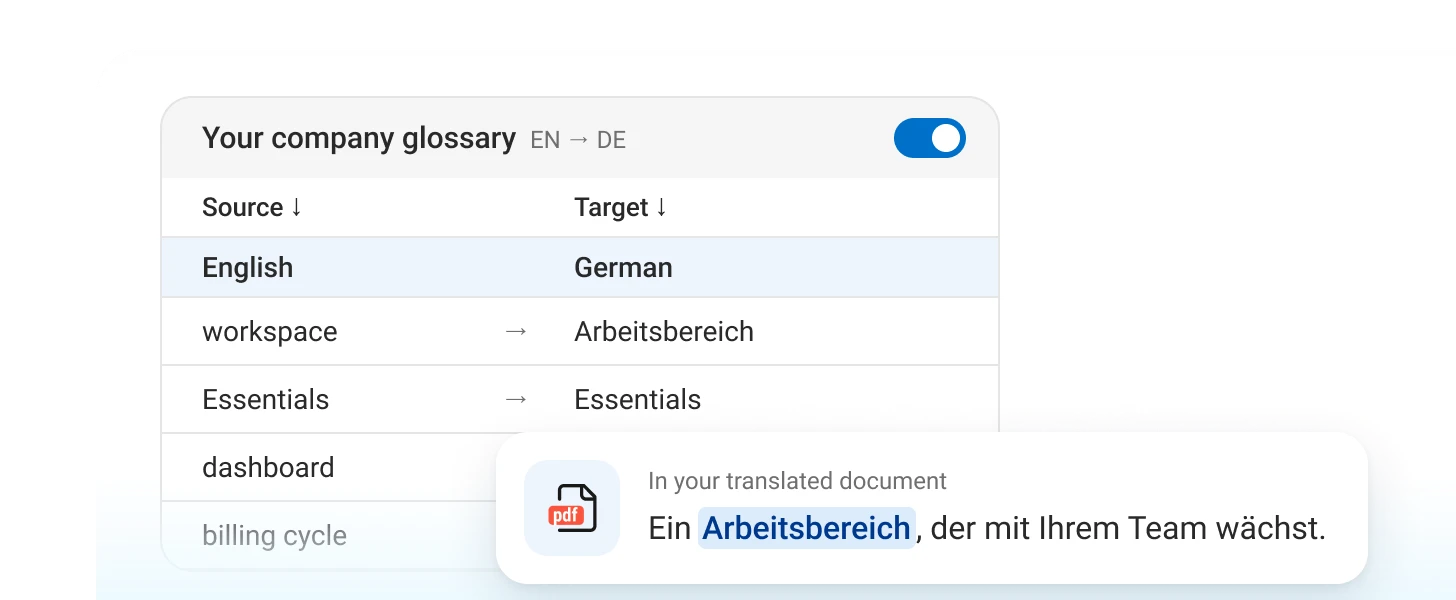
Glossaries
Keep product and industry terms consistent.
// Initialize DeepL client
String authKey = System.getenv("DEEPL_AUTH_KEY");
if (authKey == null || authKey.isEmpty()) {
System.err.println("Error: DEEPL_AUTH_KEY environment variable not set.");
return;
}
File inputFile = Paths.get(inputFilePath).toFile();
File outputFile = Paths.get(outputFilePath).toFile();
DeepLClient client = new DeepLClient(authKey);
// Perform translation
DocumentStatus status = client.translateDocument(inputFile, outputFile, null, targetLang);
System.out.println("Document translation initiated. Document ID: " + status.getDocumentId());Build file translation into your workflow
Use DeepL API to integrate translation into your existing document workflows, instead of uploading each file manually.
FAQs
With a free DeepL account, you can translate a single Word, PowerPoint, or PDF file up to 5 MB or 100,000 characters per month.
On a Pro plan, you can translate all the other file types we offer, and, depending on which plan, translate files of up to 100 MB. Each Pro plan includes a fixed number of file translations per month at no extra charge. DeepL API and Enterprise plans have no monthly cap but bill per file translated. And you're able to edit translated files directly in DeepL on a Pro plan.
DeepL supports over 100 languages for file translation (102 as of 2026), including regional variants.
Without conversion, you can translate 13 file types: PDF, Word, PowerPoint, Excel, HTML, SRT, and TXT, plus XLIFF, XML, JSON, IDML, MIF, and DITA. PNG and JPG image translation is also available.
Files are encrypted in transit and at rest. On Pro plans, DeepL deletes data after translation. DeepL complies with GDPR, ISO 27001, SOC 2 Type II, HIPAA, and BSI C5 Type 2.
Yes. DeepL uses OCR to extract and translate text from scanned PDFs and from PNG and JPG images while preserving their original layout.
Yes. Every file is billed a minimum of 50,000 characters on API plans, regardless of actual length.
Try file translation
Start a free trial to try file translation yourself, or contact sales to discuss your team’s requirements.
Trusted by over 200,000 businesses globally





