

DeepL para agentes de IA
Os seus agentes já são capazes de traduzir. Com o DeepL, podem traduzir com o estilo da sua empresa: com os seus termos, o seu tom e os seus padrões de qualidade.
Disponível no Claude, no ChatGPT, no Microsoft Copilot e em qualquer agente de IA compatível com MCP.
Escolha como ligar o DeepL
Copie o URL do MCP ou um comando para a sua ferramenta de IA e o seu agente trata do resto.

Claude
Instale o plugin do DeepL no Claude.

ChatGPT
Instale o plugin do DeepL no ChatGPT.

Microsoft Copilot
Descarregue o DeepL no Microsoft Marketplace.

Qualquer agente de IA
https://mcp.deepl.com/v1/mcp
Não são necessárias chaves de API. Basta iniciar sessão uma vez com a sua conta DeepL. Para planos baseados no número de utilizadores e planos Enterprise.

DeepL CLI
Traduza texto e ficheiros a partir do terminal ou deixe que o seu agente de programação o faça por si.
Porquê ligar o DeepL às suas ferramentas de IA
O DeepL atua como uma camada linguística para os seus agentes, ou seja, uma fonte única de referência para terminologia, estilo e qualidade em todas as ferramentas utilizadas pela sua equipa.
Uma fonte única de referência, independentemente de onde os seus agentes se encontrem
As mesmas funções de tradução, glossário e estilo do DeepL no Claude, ChatGPT, Copilot, Word e Outlook.

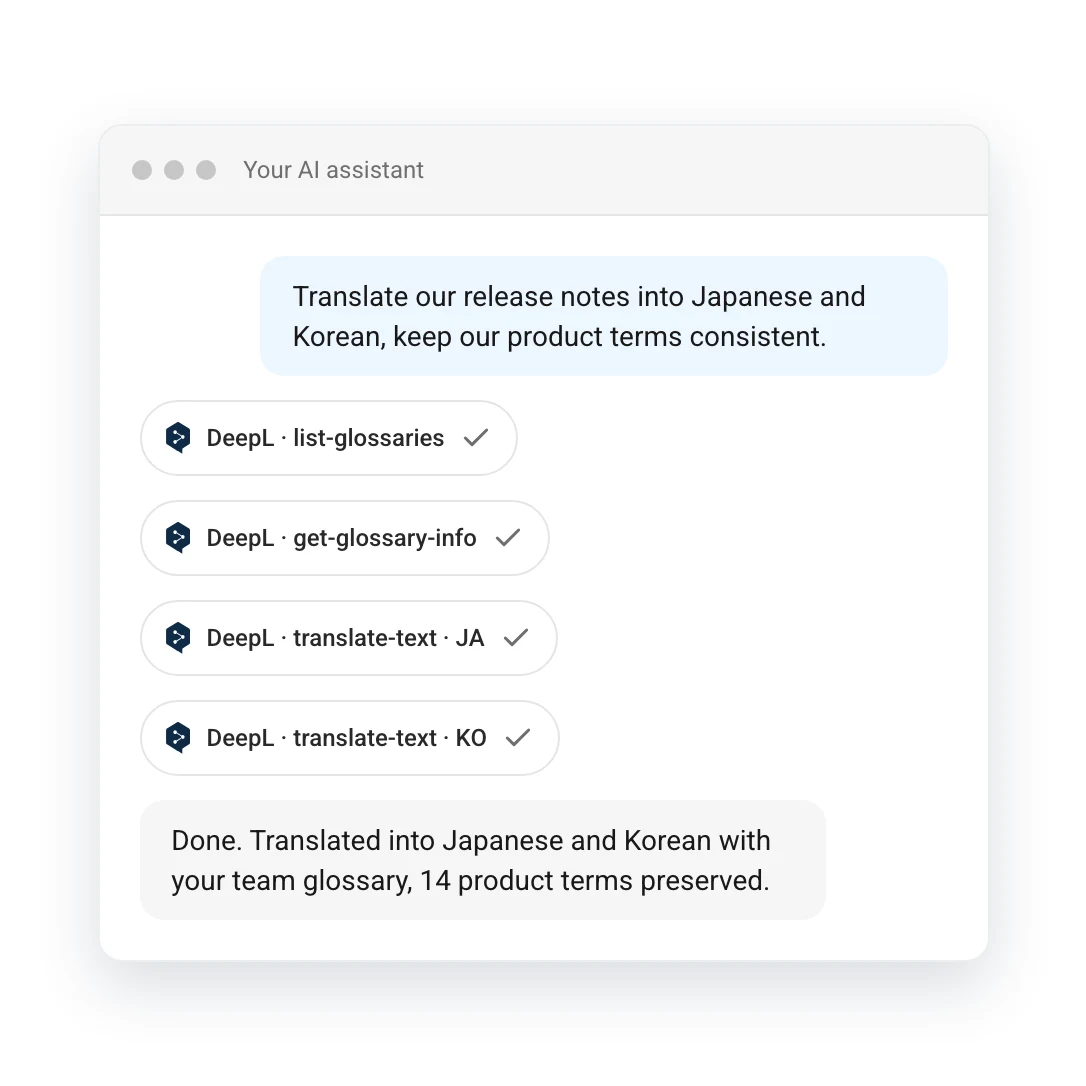
Basta pedir para que as suas personalizações sejam aplicadas
Expresse-se em linguagem simples e o DeepL aplica automaticamente o glossário, o tom e o estilo adequados.

Nível empresarial e certificado
Os seus textos nunca são utilizados para treinar modelos. Além disso, os administradores controlam o acesso aos mesmos. Certificado para o Microsoft Copilot e o Claude.

Sempre DeepL
Todas as traduções são fornecidas pelo DeepL: a sua origem é atribuível e nunca uma conjetura do modelo.

Casos de uso
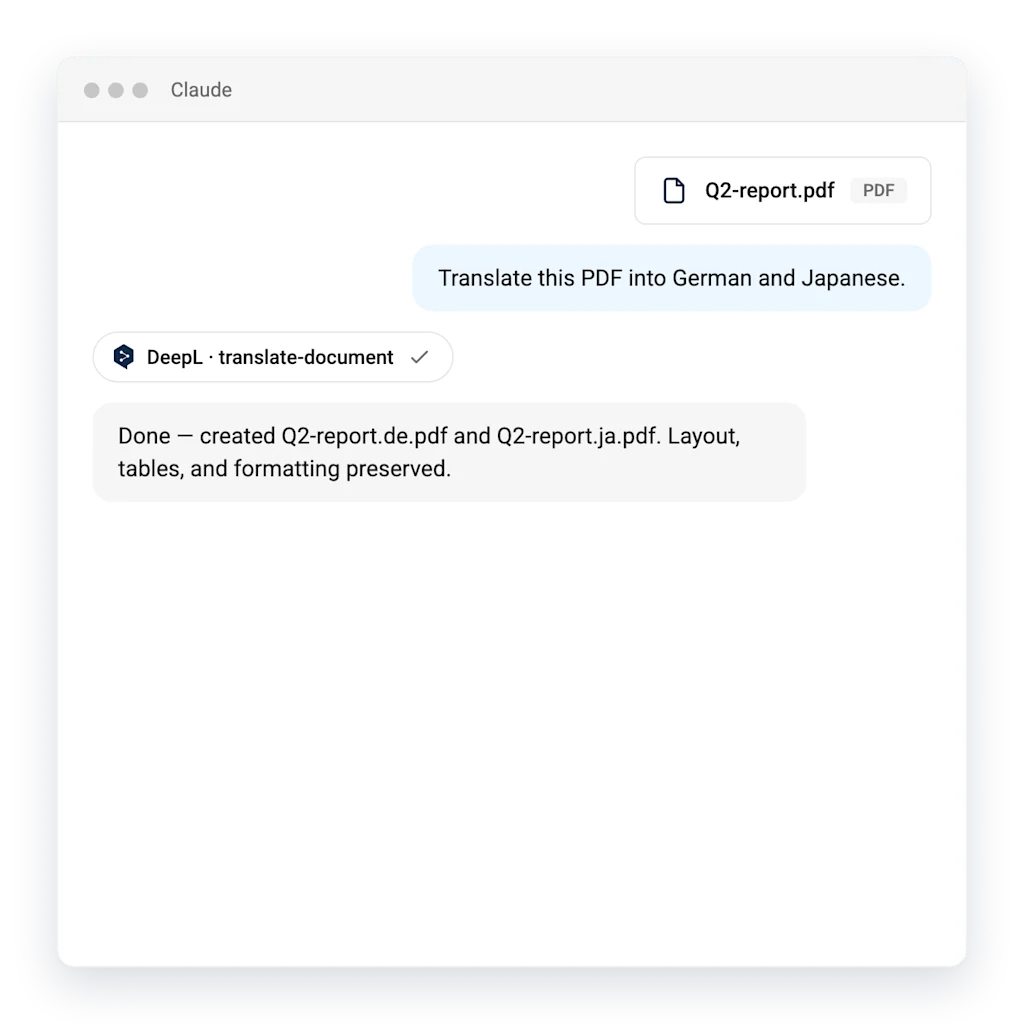
Localização integrada no fluxo de trabalho
Anexe um documento e peça ao agente para o traduzir. O DeepL trata dos idiomas e o layout dos ficheiros é preservado.
- O layout e a formatação são preservados: as tabelas, os cabeçalhos e as imagens permanecem no respetivo lugar
- Os termos do glossário são aplicados em todos os ficheiros
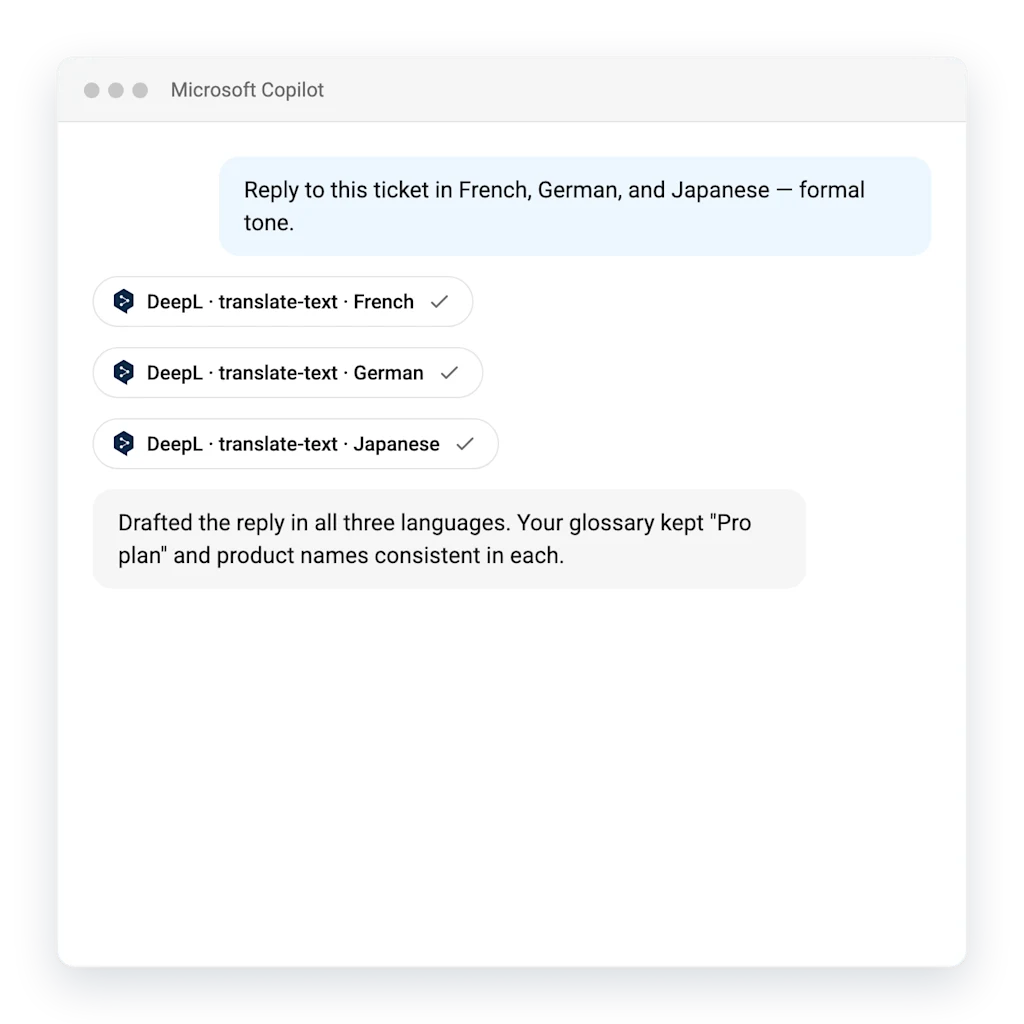
Atendimento ao cliente em qualquer idioma
Elabore respostas em todos os idiomas dos seus clientes em simultâneo, de forma precisa, imediata e alinhada com a imagem da marca.
- Traduza para vários idiomas em simultâneo
- O seu glossário assegura a coerência dos nomes dos produtos
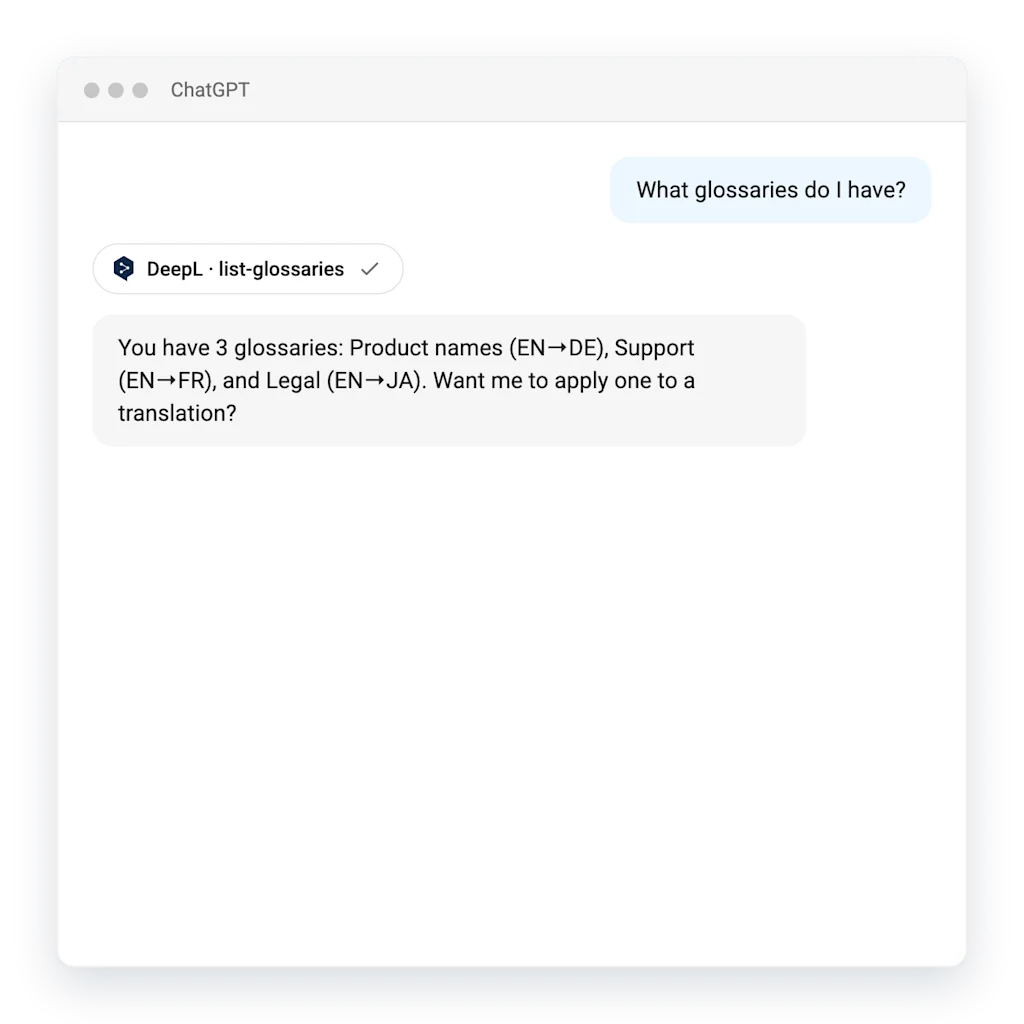
Ponha os seus glossários a trabalhar para si
O seu agente conhece a sua terminologia. Pergunte que glossários tem e, depois, aplique-os a qualquer tradução.
- Consulte e utilize os glossários diretamente a partir do chat
- A terminologia é utilizada de forma coerente em todos os idiomas
Os agentes traduzem e o DeepL garante a qualidade profissional do resultado
Apenas o agente | Com o DeepL | |
|---|---|---|
Coerência | Cada execução pode gerar resultados diferentes | Determinístico, ou seja, apresenta sempre o mesmo resultado |
A sua terminologia | Volte a explicar os seus termos em cada pedido | Definem-se glossários e estilo uma vez e aplicam-se globalmente |
Documentos | Conteúdo com omissões ou alucinações | Tradução de ficheiros inteiros sem erros e com o layout preservado |
Custo em grande escala | Paga-se pelo documento inteiro em tokens, em ambas as direções | Paga-se pelo texto original, não por tokens em ambas as direções |
Perguntas frequentes
O protocolo de contexto de modelo (Model Context Protocol, MCP) é uma norma aberta que permite que os assistentes de IA estabeleçam uma ligação a ferramentas externas de forma segura. O servidor MCP do DeepL permite que qualquer assistente compatível tenha acesso às funções de tradução, redação e glossário do DeepL, sem necessidade de integração personalizada.
Com o Claude, ChatGPT, Microsoft Copilot e ferramentas para programadores como o Cursor e Continue. Qualquer cliente compatível com servidores MCP remotos pode ligar-se ao DeepL.
Com um plano baseado no número de utilizadores (Individual, Team ou Business) ou o DeepL para empresas, não é necessária nenhuma chave de API. Basta iniciar sessão com a conta DeepL quando a ferramenta de IA o solicitar.
A ligação é efetuada ao iniciar sessão uma única vez com a conta DeepL. Se a sua organização utilizar o início de sessão único (SSO) com o DeepL, este início de sessão é efetuado através do fornecedor de identidade como habitualmente, sem que haja necessidade de gerir credenciais diferentes. Os administradores controlam que utilizadores se podem ligar ao nível da organização.
Quando iniciar sessão com a sua conta DeepL, a utilização do MCP está incluída na sua assinatura e funciona dentro dos limites de utilização razoável — não há faturação separada. O conetor em si é gratuito.
Sim. O tratamento dos pedidos é efetuado no âmbito do seu acordo do DeepL existente e os seus textos nunca são utilizados para treinar modelos. Os administradores podem ativar ou desativar o acesso aos agentes para toda a organização.